The screens in your building, run from one place.
Announcements, posters, the tenant directory and meeting rooms, on every TV and tablet in the building. Change them from your desk or your phone, and they update in seconds.
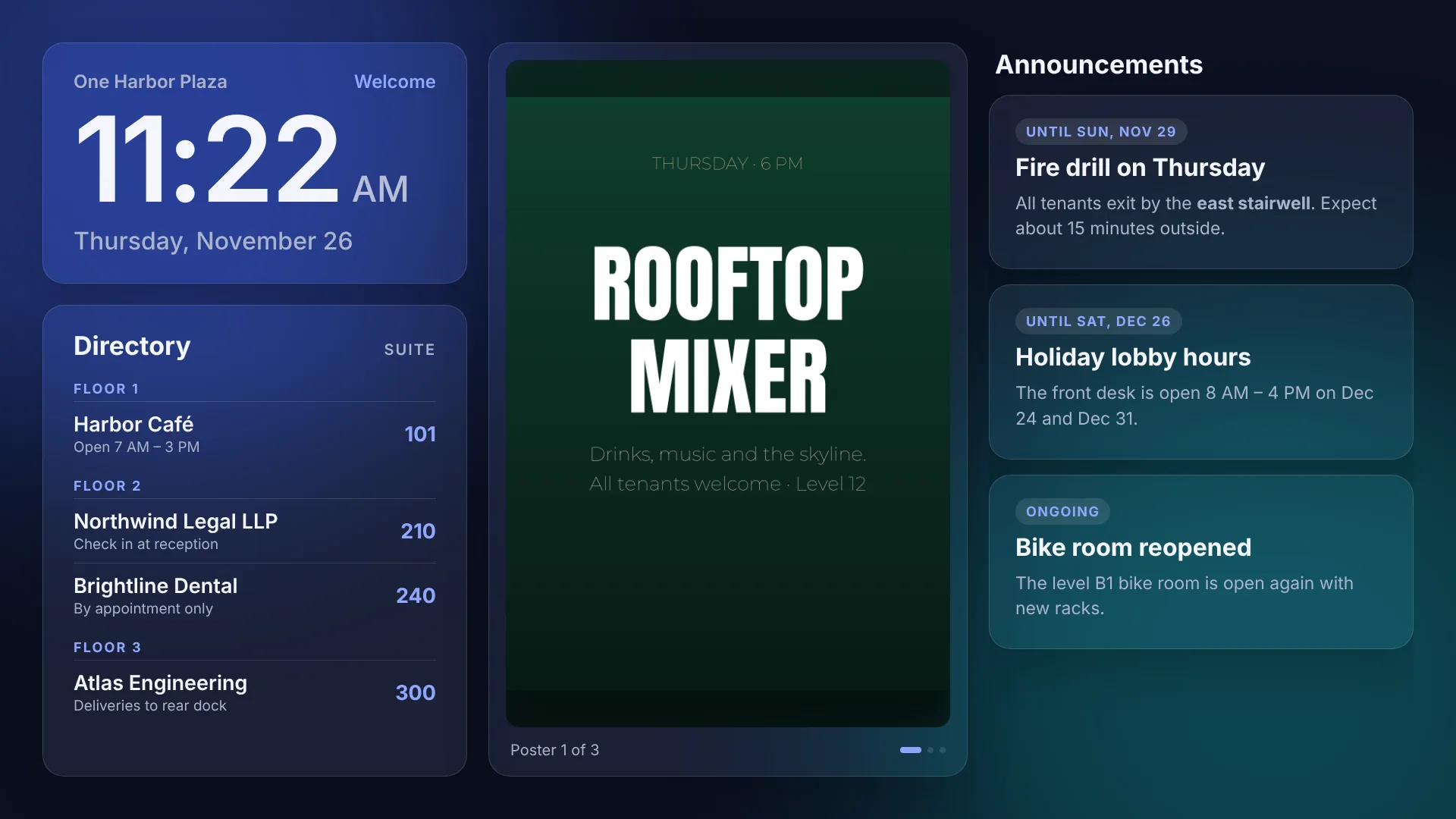
Everything a lobby needs to say.
One screen carries the building’s day: who’s on which floor, what’s happening, and what people need to know before they reach the elevators.
- Tenant directory
- Companies by floor and suite, with notes like “check in at reception”. Long lists page through by themselves.
- Announcements
- Fire drills, maintenance, holiday hours. Give each one a start and an end, and it comes down on its own.
- Posters
- Upload events and notices as pictures or PDFs. They rotate on the screen at the pace you choose.
- Urgent notices
- One tap takes over every screen in the building with a single clear message, and one tap ends it.
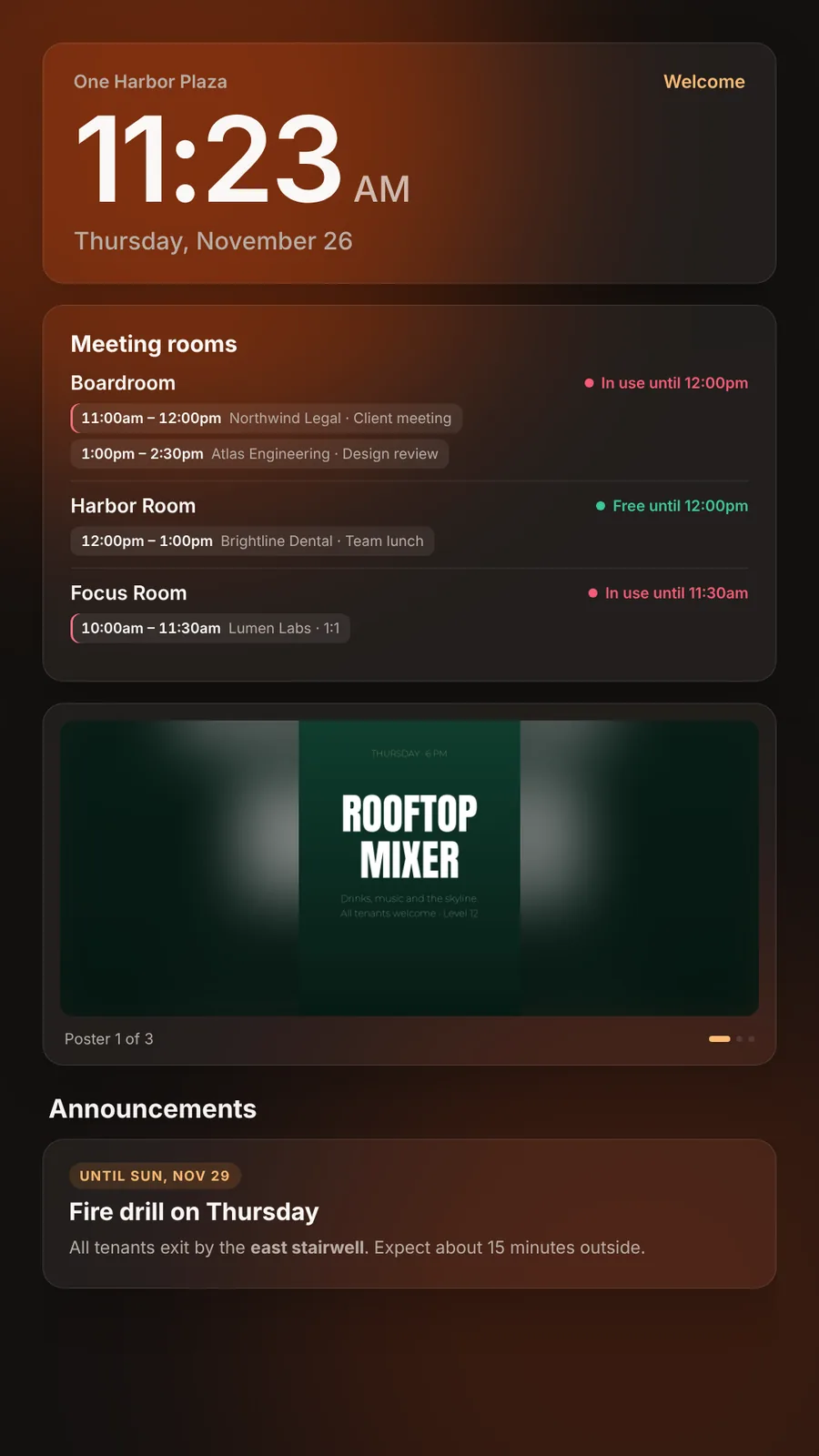
Tall screens for elevator banks and hallways.
Hang a TV on its side and the screen rearranges itself into one tall column. Use it where people wait: by the elevators, at the security desk, outside the mailroom.
- Any TV size, horizontal or vertical. The picture scales to fit.
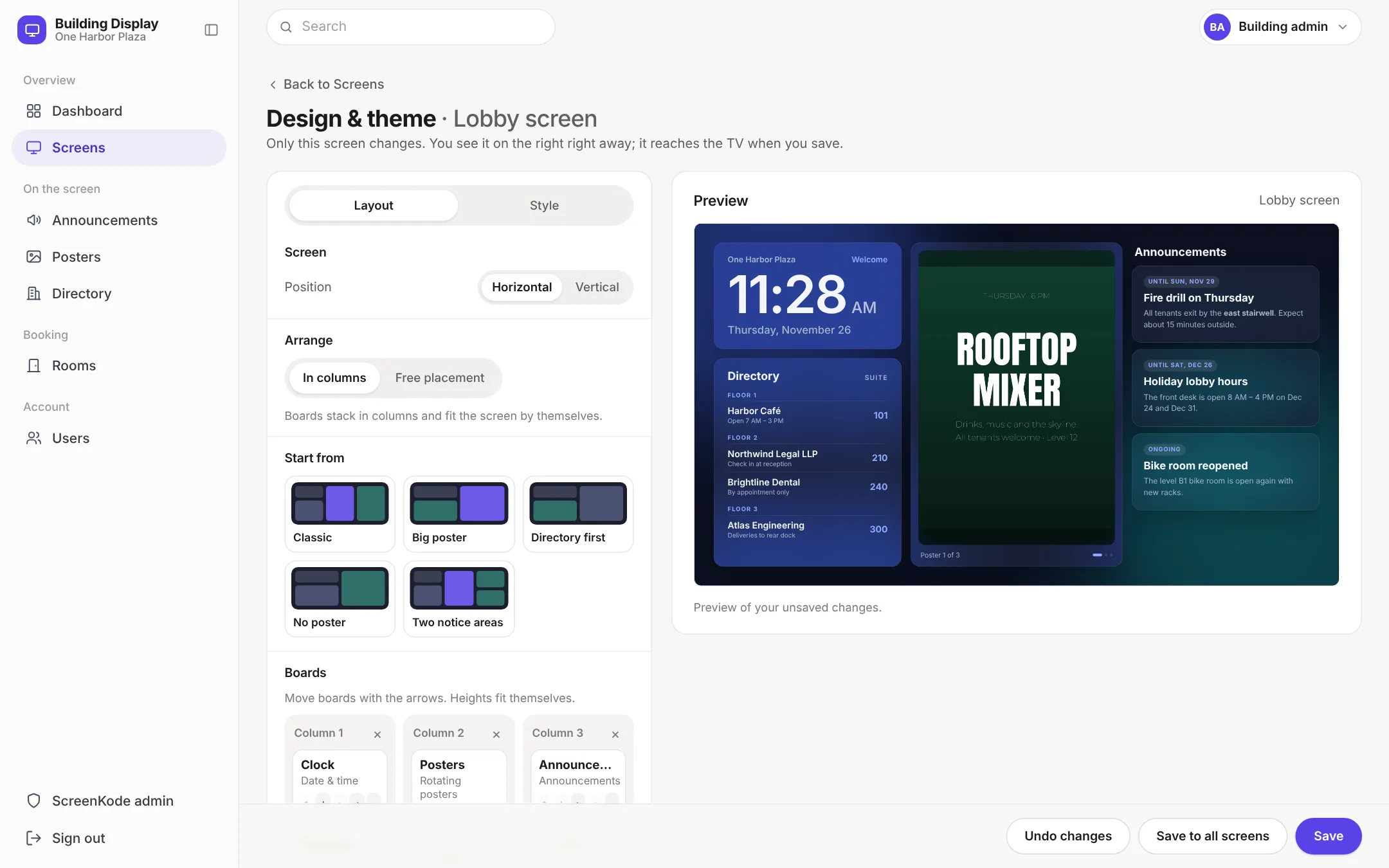
- Choose the boards, their order and their colors for each screen.
- Place boards anywhere on your own background, down to the pixel.
- Show which meeting rooms are free, right next to the elevators.
Meeting rooms that book themselves.
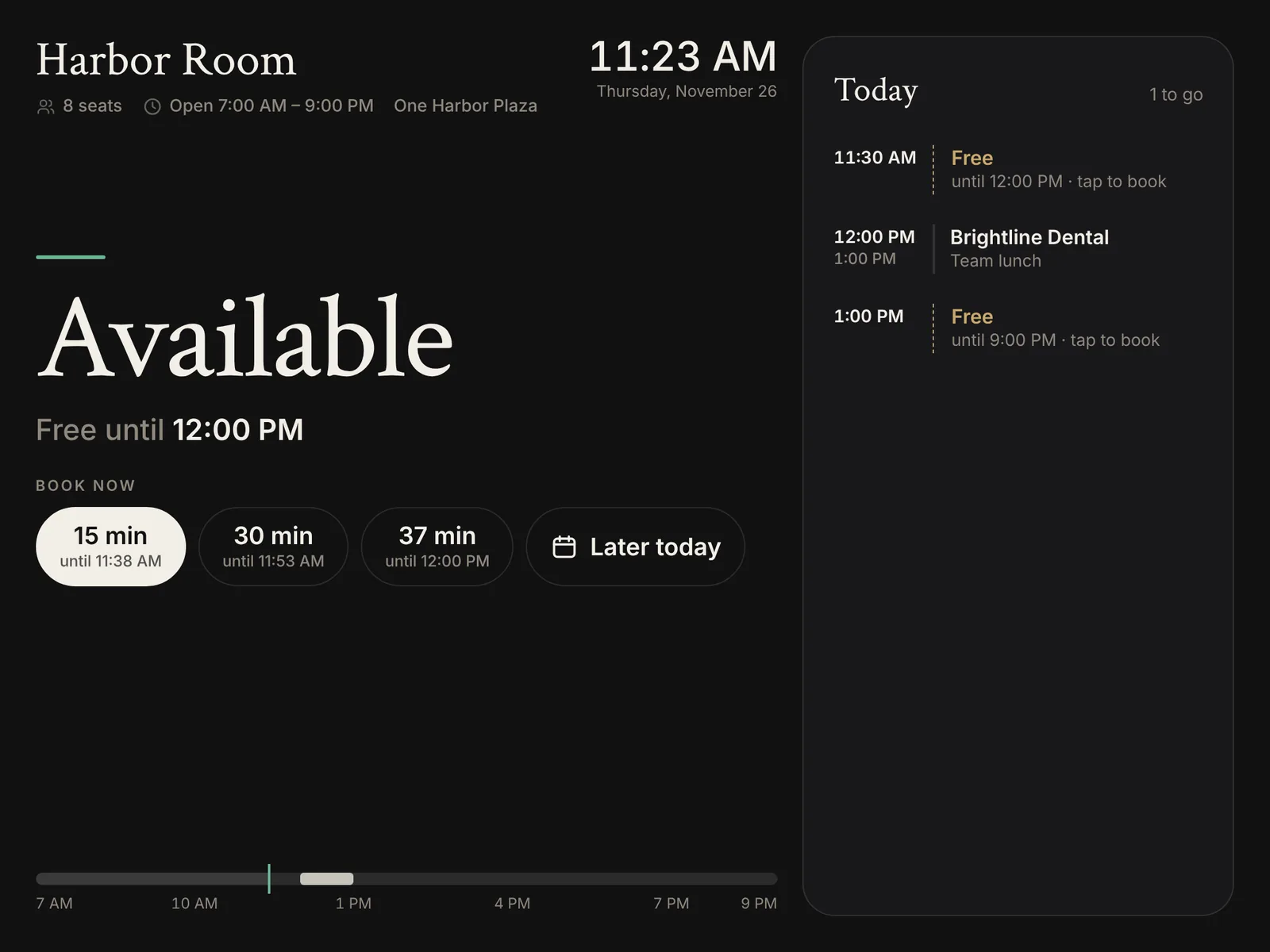
Put a tablet by each conference room door. Anyone walking by sees if the room is free and can book it with a tap. Tenants can also reserve from their phone with the building’s booking link. No app, and no account to make.
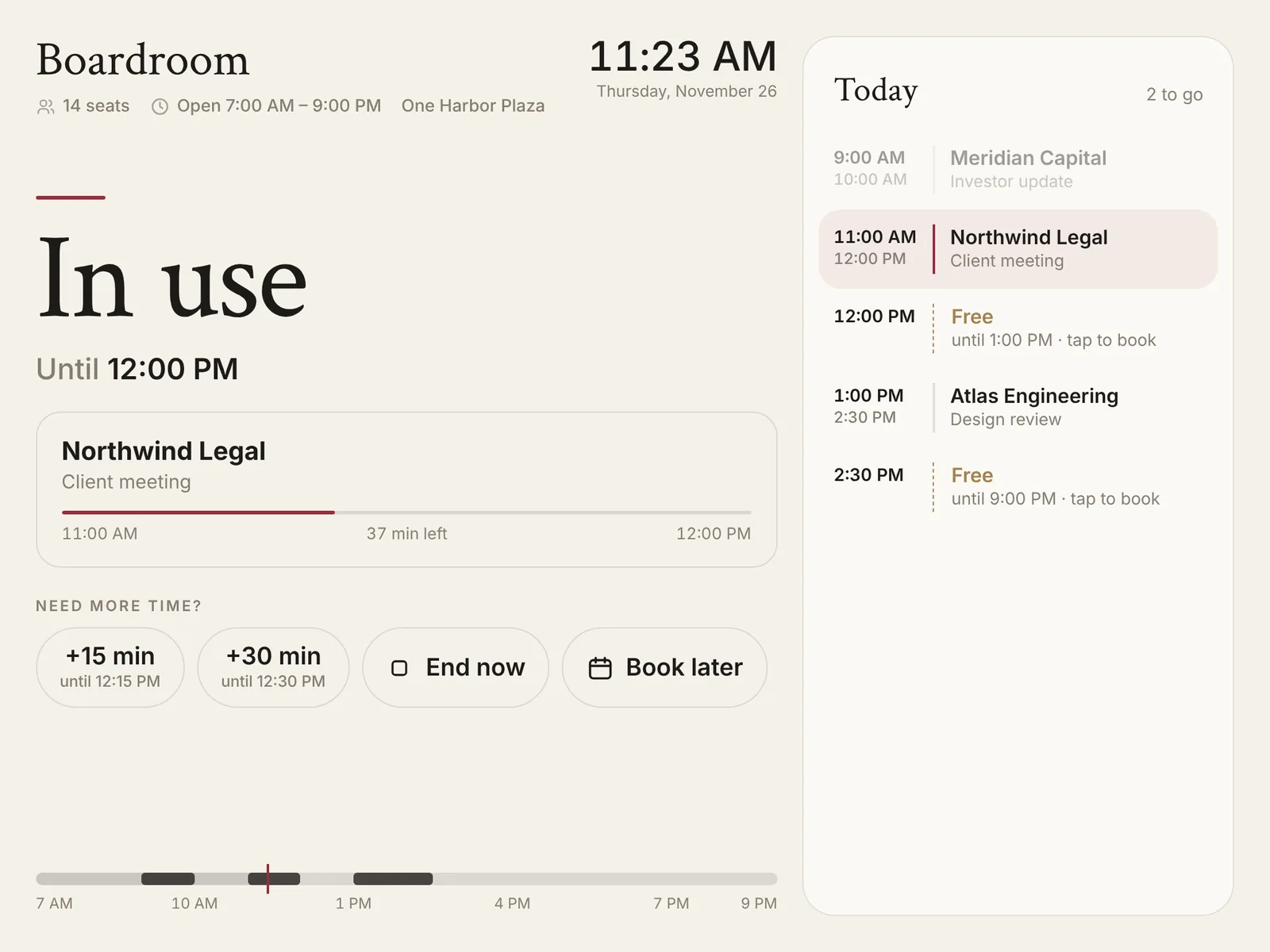
At the door
Book now in one tap, add 15 minutes when a meeting runs long, or end early and free the room for someone else.
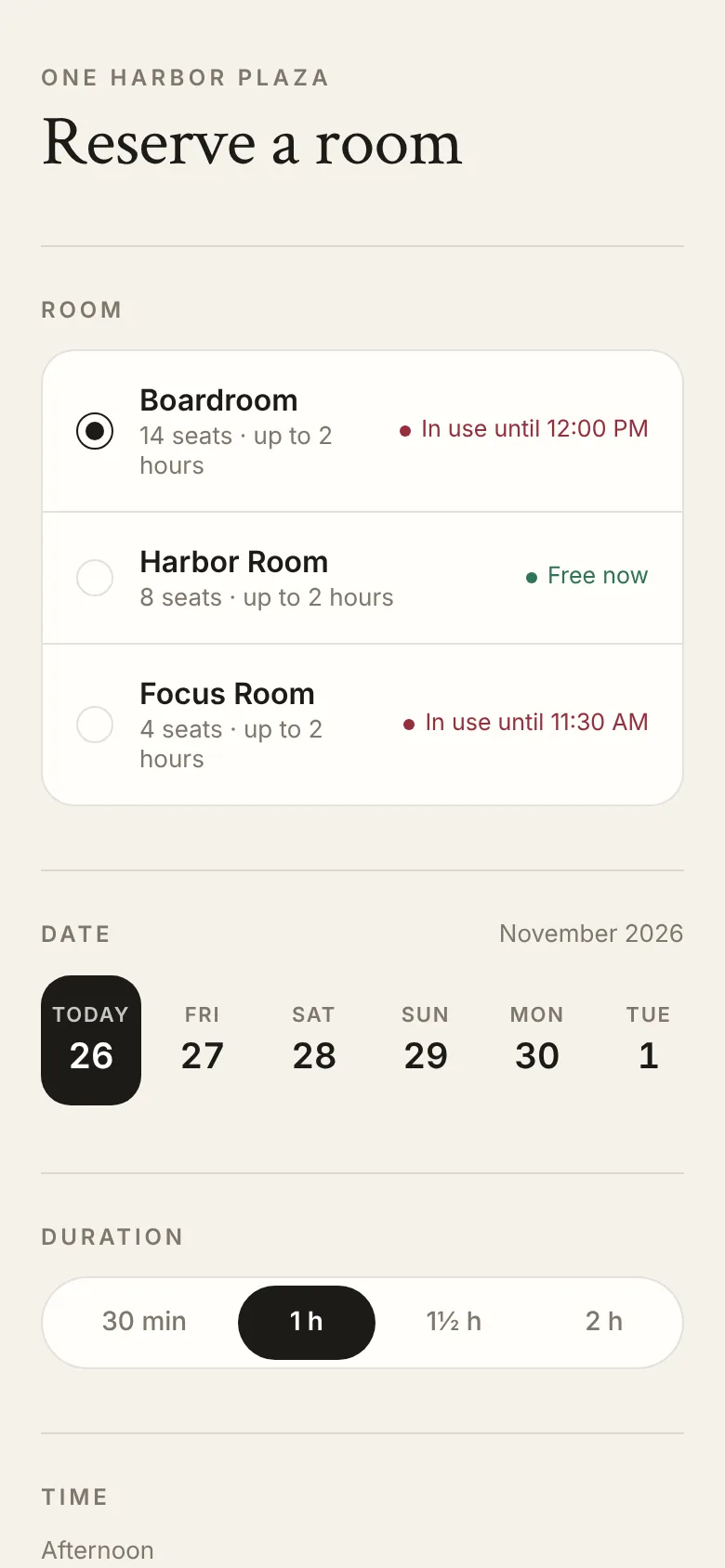
From a phone
One link for the whole building. Pick a room, a day and a length; a confirmation email comes with a link to cancel.
Your rules
Opening hours, the longest booking, how far ahead people can book, and whether names show on screens.
Two looks for the door
Ivory for bright corridors, Onyx for darker interiors. The booking page takes your logo, a cover photo and your colors, so it feels like part of the building.
See the change before the lobby does.
Every edit shows up in a live preview first. Nothing reaches the TVs until you press Save, so you can try a new layout at 4 PM without anyone in the lobby noticing.
Made for managers, not IT
Plain words, big buttons, and it works as well on a phone as on a laptop.
Every building, one sign-in
Run a whole portfolio from one account. Switch buildings in a click, and give each building its own team.
The right people only
Invite your team by email. Each person sets their own password, and access stays per building.
Up and running in an afternoon.
No special hardware. If a screen can open a web page, it can be a Building Display screen.
Connect a screen
Each screen gets its own link. Open it on the small PC or player behind the TV, and it stays on and reconnects by itself.
Add your building
Enter the tenants, upload a few posters and pick a look. The preview shows exactly what the lobby will see.
Hand it to your team
Invite the people who run the front desk. From then on, updates take a minute from anywhere.
See it in your lobby.
Tell us a little about your building. We’ll set up a demo with your own name and tenants, so you can see it on your screens before you decide anything.